

General Information on Support
We are able to offer AnyBook at a very low price because we don't have to maintain a phone or email support program. Just to repeat. We don't provide support. That being said, however, we do provide you with an outstanding array of tools to help yourself.
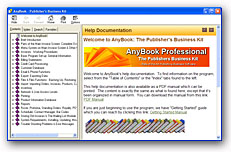 Those tools include one of the best help systems in the industry. Take a look and we think you'll agree. Built into the software itself, we have a sound, understandable and comprehensive help system with lots of illustrations. We also have a PDF manual which can be printed, and we have learning guides which cover major features of the program. We even have loaded the help system on the Internet so it's available if you like to use Google or other search engines for topic searching.
AnyBook, itself, has a simple, natural feel to it. It's easy enough to use that some users rarely ever refer to the help documention. Each of the screen displays throughout the program help guide you from one process to another.
But if you do need help, nearly every dialog box in the program has a help button which takes you directly to relevant information about that topic. You'll find lots and lots of information to help you do your job as efficiently as possible.
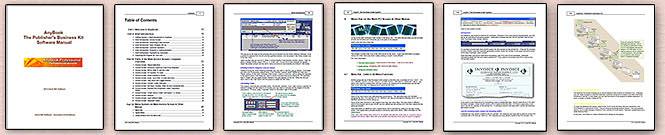
Full AnyBook Manual
Complete help documentation is built-in the program. Additionally, however, we have prepared a PDF manual which can be printed. The content of the manual is exactly the same as the help system built into the AnyBook program except that it's been organized in manual form: More Information.
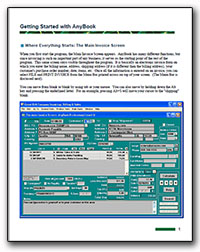
If you're just getting underway with AnyBook, the following "Getting Started" Manual may be helpful. It includes lots of screen displays and very simple and to-the-point explanations.
Click for the Manual: AnyBook Getting Started Manual
AnyBook's Built-in Help System
AnyBook has an extensive help system built into the program. We take great pride in the help system, and are constantly updating it, trying to make it even better. Each year we look carefully at users' questions, and if we find that we are missing useful information, we add it or refine the existing material.
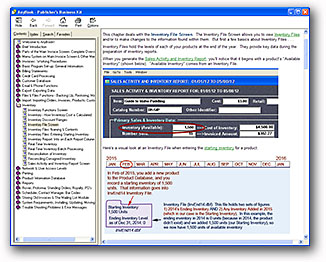 Many computer software programs have only rudimentary help information which requires you to search the web or to seek out other sources of documentation in order to run the program.
AnyBook isn't like that. We think that full and complete help documentation should come right along with the program. You shouldn't have to look elsewhere to figure out how to do something.
You won't find any other software help system like this one. We promise. To give you a feel for what it's like, here's a sample of the help information on the Product Pop-up List. The Product Pop-up List is used to enter products on an invoice. Notice how many different options and features are available on this one dialog box - and how well they are described and illustrated.
All in all, you'll find that AnyBook's built in help system a refreshing change from most software out there.
In fact, when all the help documentation is combined, there are over 1,600 pages of help information. You'll find the basics to help get you started, tips to improve your business, and plenty of details when details are needed.
Just a reminder that we also have the help documentation in a PDF manual.
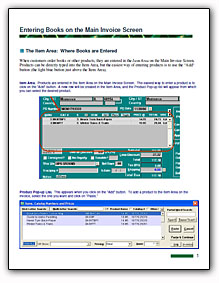
We have prepared several instructional guides which cover key topics in AnyBook. Click here for more information.
Existing Users: Updates & Re-installing the Program
Information on updates, how to re-install, new macros for on-line shipment processing, and other information are found here: more information.
Existing Users: News & Information on Updates & Versions
We have a webpage for existing users with news, items of interest, and information on updates and versions: News and User Information
Do You Need Accounting Software in Addition to AnyBook?
We've prepared some special information on the use of accounting software with AnyBook. For more information, see Use of Quickbooks & Other Software with AnyBook

As we mentioned, all of the latest help documentation is built right into the program. We think that's where it ought to be. It ought to be in one central location so you don't have to go searching here and there for answers to your questions. But, in event it might be helpful to you, we have also the placed the help documentation on the Internet.
This allows you to use a Google search to find information about AnyBook. Here's a link to the index, but you can also use Google to find information: Internet-based Help
(The above link takes you help documation on the main part of the program. On-line help documentation is also available for the royalty module: Royalty.)
AnyBook is another carefully crafted software program from:
 Great Rift Software
 Innovation, Excellence and Service