
 To help you work more efficiently in AnyOrder, we have prepared several short and highly illustrated instructional guides to supplement the help documentation that comes with the program. Although, the help documentation built into the program is still the most detailed and complete, it's often helpful to look at a topic from a different angle. To accomplish that, we've re-organized the material and added lots of illustrations.
Now and then, you'll notice that the guides will reference the help documentation that comes with the program. When it does, it will provide you with the index entries so you'll know how to look it up. Additionally, it will provide you with a "web link."
 The web link will take you to an on-line version of the help documentation. It's the same as the help documentation that comes with the program except that it's found on the web. This makes it easy to get more details on a topic. It's just a matter of clicking a link, and the information will appear in your browser. (Note: that the on-line help system is for all Levels. Not all of the features may be available on your version of the program, but the basic information found in the documentation will apply to all Levels.)
All of the guides below are in Adobe's PDF format and can be viewed from your browser. You are also more than welcome to save a copy of the guides to your hard drive. (To do so, click on one of the links below, and when the PDF file appears, click on "Save a Copy.") Once you save the file, you can view it at any time by double-clicking on it. This is a good technique to use if you frequently reference the "web links" since the PDF viewer and the on-line help system are in separate windows.
Here's a list of the guides:
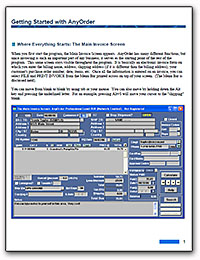
AnyOrder Getting Started Manual PDF File: 350 Kbytes.
How to get started using the program: a very short and sweet introduction to AnyOrder.
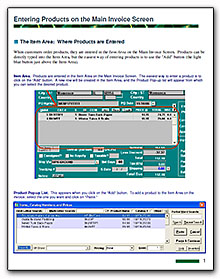
Entering Products on the Main Invoice Screen PDF File: 192 Kbytes
Discusses the "Item Area" found on the Main Invoice Screen and reviews all of the features available. Includes details on how to enter sales, returns, damages, consigned items and creating credit memorandums.
How to Record Payments in AnyOrder PDF File: 135 Kbytes
Where and how you enter payments. Details how AnyOrder's innovative Mark Paid feature is used. Describes how to deal with refunds, credits, and how to enter lump sum payments which pay off two or more invoices at a time.
Billing Statements: Preparation, Set-up & Generating PDF File: 200 Kbytes
Billing statements are incredibly important for any business. They allow you to keep close tabs on your customers' account activity. In this guide, you'll find information on the following: moving data into AnyOrder from another system, an explanation of the information found on a billing statement, proper invoicing techniques, correcting statement errors, how starting balances are figured, dealing with overly large statements, and obtaining total receivables and payables.
AnyOrder is another finely crafted software program from:
 Great Rift Software
 Innovation, Excellence and Service